Face Retouch
Face Retouch enables you to enhance facial features with advanced retouching controls. You can further refine the look by adjusting properties such as skin texture, eye brilliance, smile lines, and dark circles.

Add a Face Retouch object
To add a Face Retouch object:
- Go to the Hierarchy panel
- Click the Add object button [+]
- Go to Face Effects
- Select Face Retouch

Properties
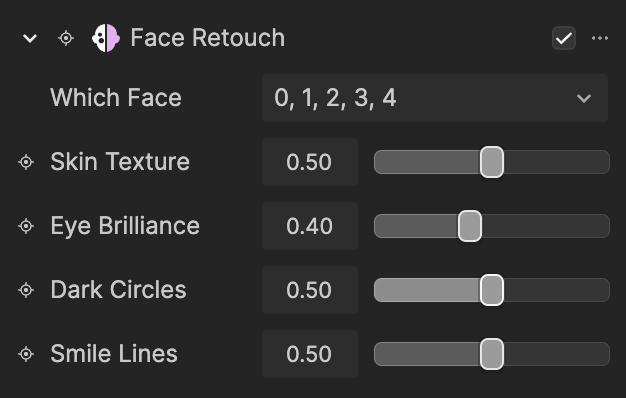
| Property | Description |
|---|---|
| Which Face | Selects the face to apply the effect to. Multiple selections are supported. 0 represents the first face that appears in the scene, while 4 represents the fifth face. All faces are selected by default. |
| Skin Texture | Controls the smoothing of uneven skin texture by reducing the appearance of pores, fine lines, and minor imperfections while preserving facial edges and contours. |
| Eye Brilliance | Controls the enhancement of eye brightness and clarity by increasing local contrast and saturation around the iris and sclera. |
| Dark Circles | Controls the reduction of under eye shadows and discoloration through localized tone correction and brightness adjustment. |
| Smile Lines | Controls the softening of nasolabial folds by reducing depth contrast using localized smoothing and brightness balancing. |