Grain
Grain allows you to add noise, or random pixels, to the screen to create a textured effect.
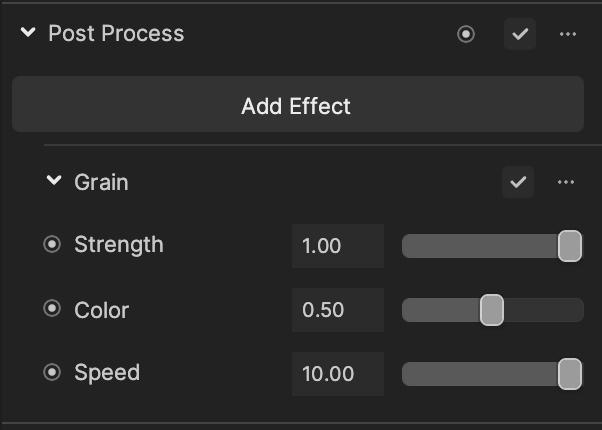
Add Grain
To add a Grain effect:
- Go to the Inspector panel.
- Click + Add Component.
- Go to Post Effect.
- Click Post Process.
- Under the Post Process property, click Add Effect.
- Click Grain.
Properties
| Property | Description |
|---|---|
| Strength | The strength of the grain. Values range between 0.00 and 1.00. |
| Color | The strength of the grain color. Values range between 0.00 and 1.00. |
| Speed | The blinking strength of the grain. Values range between 0.00 and 10.00. See the demonstration below. |
Demonstrations
Speed


Speed = 0.00
Speed = 10.00