2D Scene Object
The 2D Scene Object is an empty object that can be used as a container for other 2D objects.
The 2D Scene Object is a useful organizational tool for grouping other 2D objects together, resizing objects, and setting pivot points. 2D objects parented under a 2D Scene Object can be manipulated as one unit with a single pivot point.
The Scene Object is a similarly empty object used to house other 3D objects. Learn more about Scene Objects.
Add a 2D Scene Object
To add a 2D Scene Object, click the Add button [+], go to 2D, and then select 2D Scene Object in the Hierarchy panel.
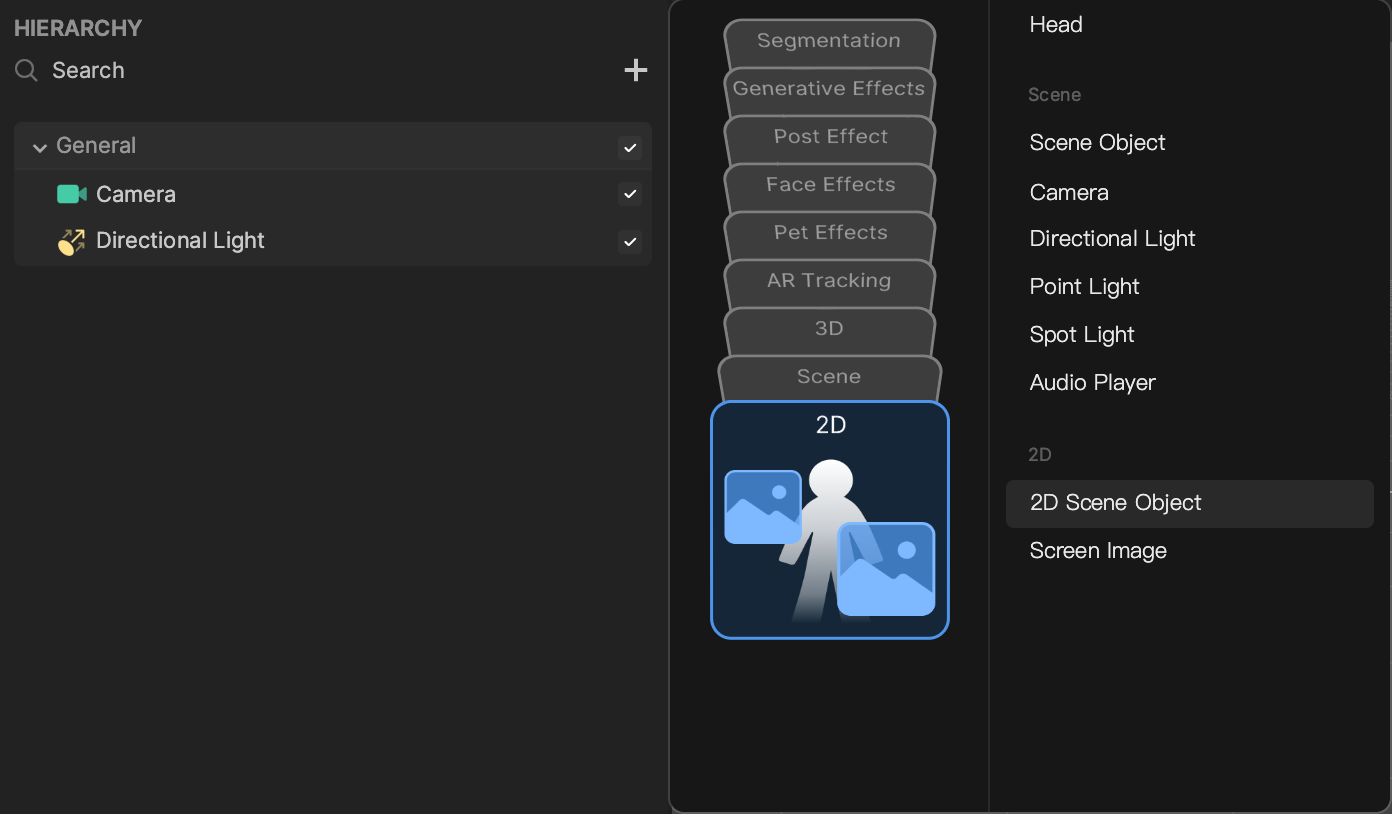
The 2D Scene Object is automatically nested under a 2D Camera object in the Hierarchy panel. The 2D Camera is necessary for rendering the 2D Scene Object.
Use the 2D Scene Object
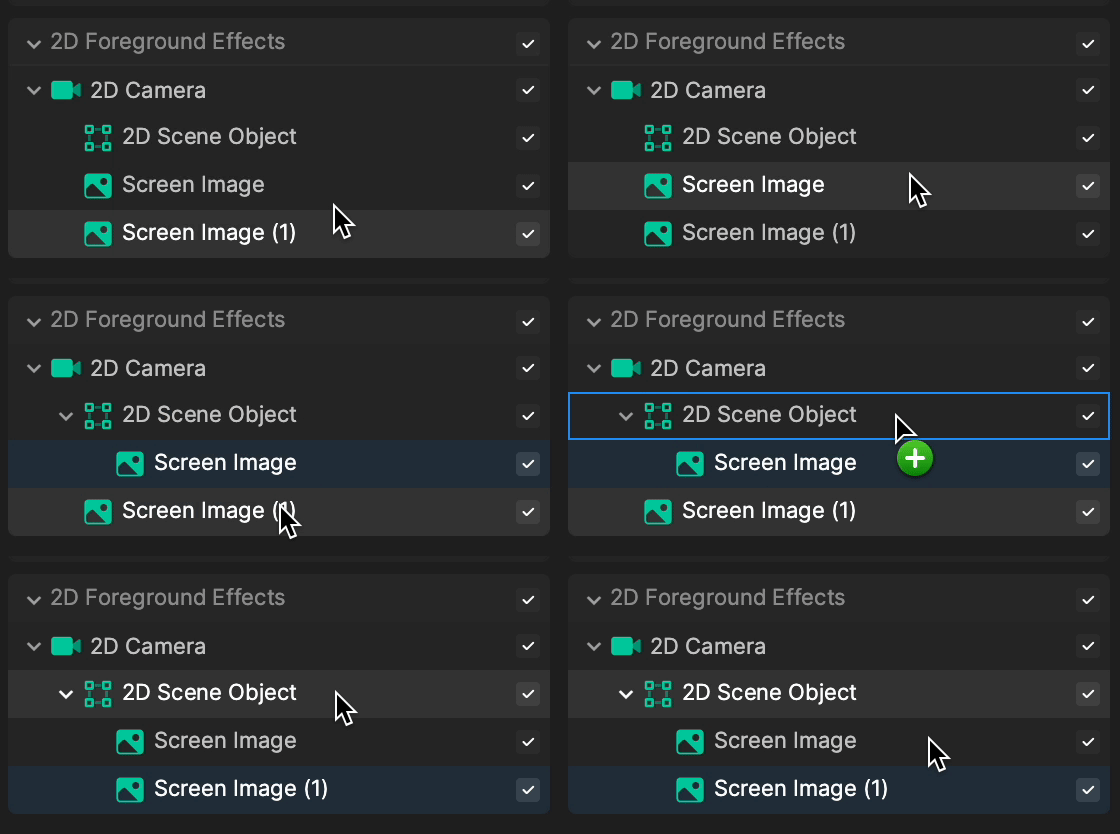
To group existing 2D objects under a 2D Scene Object, drag them on top of the 2D Scene Object in the Hierarchy panel.
Components
The 2D Scene Object is made up of the Screen Transform component, found in the Inspector panel.